Human beings use their eyes to understand the world around them. We recognise people, read signs, identify objects, observe movement, understand surroundings, and notice details that help us make decisions. Much of this happens naturally, without consciously analysing every visual element. For computers, however, interpreting an image is a complex technological challenge.
A digital photograph may look like a simple picture to a person, but a computer initially receives it as numerical information representing pixels, colours, brightness, and other visual properties. Recognising what those pixels represent requires specialised algorithms and models capable of identifying patterns and relationships within visual data.
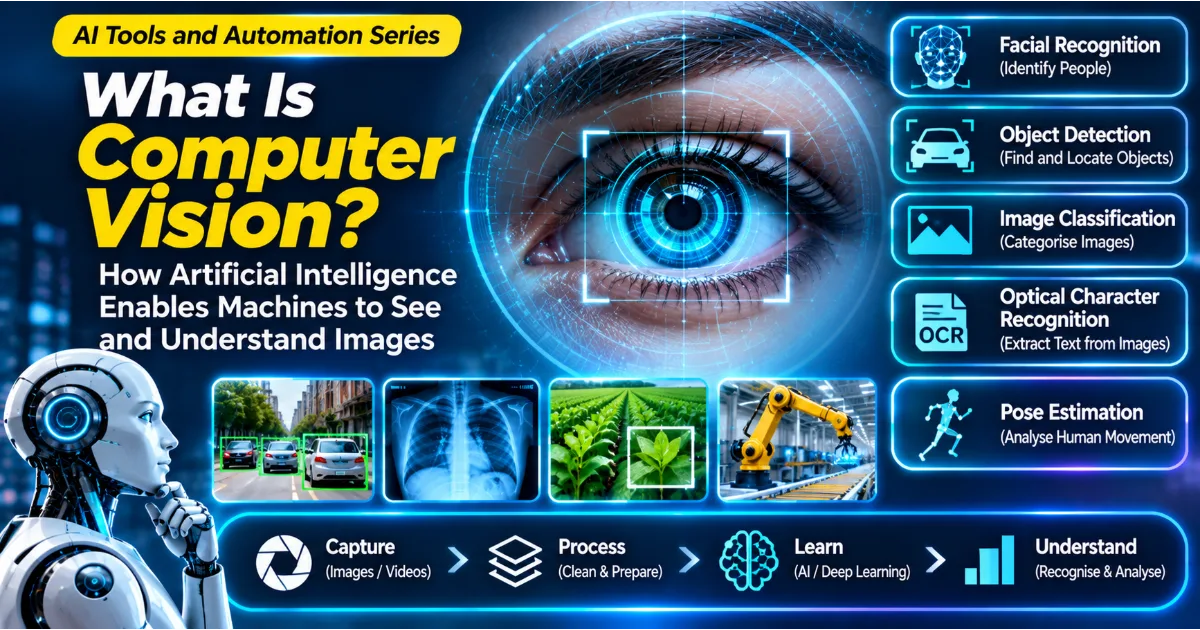
This is where Computer Vision becomes important. Computer Vision is a field of Artificial Intelligence that enables computers to process, analyse, and interpret images and videos. It helps machines identify objects, recognise patterns, detect movement, classify visual information, and understand aspects of their surroundings.
Computer Vision is already being used in many industries. Smartphones use it to recognise faces and improve photographs. Manufacturing companies use it to inspect products. Healthcare researchers explore it for medical image analysis. Vehicles use cameras and computer vision systems to identify roads, pedestrians, and other objects. Retailers use visual recognition to organise products and improve inventory processes.
The development of Machine Learning and Deep Learning has significantly improved the capabilities of computer vision systems. Modern models can learn visual patterns from large datasets and perform tasks that previously required extensive manual programming.
Continue Reading
Understanding Computer Vision is useful for students, developers, business owners, engineers, researchers, and anyone interested in Artificial Intelligence. This article explains what computer vision means, how it works, its major techniques, practical applications, advantages, limitations, and future possibilities.
What Is Computer Vision?
Computer Vision is a branch of Artificial Intelligence that enables computer systems to extract meaningful information from images and videos.
Its objective is to help machines interpret visual information in ways that support recognition, classification, measurement, analysis, and decision-making.
For example, consider a photograph containing a dog sitting beside a tree. A basic computer program may only identify the image as a collection of pixels. A computer vision model can analyse visual patterns and identify the dog, recognise the tree, estimate their positions, and distinguish the objects from the background.
A more advanced system may track the dog as it moves across a video or estimate the distance between objects.
Computer Vision can work with different types of visual information, including photographs, video recordings, medical scans, satellite imagery, security camera footage, and images captured by industrial sensors.
It combines several areas of technology, including image processing, mathematics, statistics, machine learning, and deep learning.
The field is closely connected to human visual perception, but computer vision systems do not necessarily understand the world in the same way people do. They process visual patterns using computational models trained for particular tasks.
Why Is Computer Vision Important?
Modern organisations generate enormous amounts of visual information. Cameras are installed in smartphones, factories, vehicles, hospitals, offices, retail stores, agricultural fields, and public infrastructure.
Manually examining every image and video can be time-consuming and expensive. Computer Vision helps automate certain visual analysis tasks and allows organisations to process information at a much larger scale.
Consider a manufacturing facility producing thousands of products every day. Human inspectors may need to examine each item for scratches, cracks, missing components, or incorrect assembly. A computer vision system can analyse product images and identify visual patterns associated with defects.
Similarly, a retailer may use cameras to monitor product shelves and identify empty spaces. An agricultural organisation may analyse field photographs to identify changes in crop appearance.
Computer Vision is important because it transforms visual information into data that software systems can analyse and use.
It can improve operational efficiency, support faster inspections, assist professionals, and create new ways for people to interact with technology.
How Does Computer Vision Work?
Computer vision systems generally follow a sequence of processes. The exact workflow depends on the application, the quality of the images, and the type of information that needs to be extracted.
1. Image or Video Collection
The first step involves collecting visual information.
A computer vision application may receive images from a smartphone camera, security camera, industrial camera, medical imaging device, drone, satellite, or another authorised source.
For example, a manufacturing company may install cameras above a production line to capture photographs of products as they move through the facility.
A healthcare research project may use medical images collected under appropriate privacy, consent, and regulatory requirements.
The quality of the input information matters because unclear, incomplete, or poorly captured images can make accurate analysis difficult.
2. Image Preprocessing
Raw images may need to be prepared before analysis.
Image preprocessing can include resizing, cropping, adjusting brightness, normalising pixel values, reducing noise, and correcting certain visual distortions.
For example, photographs captured under different lighting conditions may have inconsistent brightness. Preprocessing can help make the images more suitable for model analysis.
A system may also resize images to a standard resolution because its model expects a particular input size.
Preprocessing must be designed carefully. Removing important visual details or introducing distortions can reduce model accuracy.
3. Feature Extraction
Feature extraction involves identifying useful visual characteristics within an image.
Traditional computer vision methods may examine edges, corners, textures, shapes, colours, and other manually designed features.
For example, a system designed to identify road signs may examine the shape, colour, and visual structure of the signs.
Deep learning models can learn useful visual representations automatically during training. Instead of relying entirely on manually selected features, they learn patterns from image examples.
4. Model Processing
The prepared image is passed to an appropriate algorithm or trained model.
Depending on the task, the model may classify the image, identify objects, locate specific regions, segment objects from the background, or analyse movement across video frames.
For example, an object detection model may identify a car, a pedestrian, and a traffic signal within the same image.
The model produces results based on patterns learned during training.
5. Interpretation of Results
The model's output is converted into information that an application or user can understand.
An image classification system may return a category such as cat, dog, vehicle, or building.
An object detection system may return object labels together with their positions in the image.
A quality inspection system may identify a possible defect and flag the product for additional review.
6. Evaluation and Improvement
Developers must evaluate the system using suitable images that were not used during training.
They may examine accuracy, missed detections, incorrect classifications, and performance under different lighting, camera angles, backgrounds, and environmental conditions.
A model that performs well on clear photographs may struggle with blurry images or unfamiliar environments.
Evaluation helps identify these limitations and determine whether the model is suitable for real-world use.
Major Tasks in Computer Vision
Computer Vision includes several specialised tasks. Each task focuses on a different aspect of visual understanding.
1. Image Classification
Image classification is the process of assigning a category to an image.
For example, a model may receive a photograph and classify it as a cat, dog, bird, car, or bicycle.
The model examines visual patterns and predicts the category that best matches the image.
Image classification is useful when the primary objective is to identify what an image contains rather than determine the exact location of every object.
Applications include identifying plant categories, organising photographs, classifying product images, and supporting certain medical image research tasks.
2. Object Detection
Object detection identifies objects within an image and estimates their locations.
Unlike image classification, which generally assigns a category to an entire image, object detection can identify several objects in the same photograph.
For example, a traffic camera image may contain cars, motorcycles, bicycles, pedestrians, and traffic signs.
An object detection model can identify each object and mark its approximate location using bounding boxes.
This technology is used in traffic analysis, industrial inspection, retail monitoring, robotics, and certain vehicle assistance systems.
3. Image Segmentation
Image segmentation divides an image into meaningful regions or groups of pixels.
It helps a computer identify the precise boundaries of objects rather than simply drawing a box around them.
For example, an image analysis system may separate a person from the background or identify the exact area occupied by a damaged section of a manufactured product.
There are different forms of image segmentation.
Semantic segmentation assigns a category to each pixel. Pixels belonging to the same category receive the same label.
Instance segmentation identifies individual objects separately, even when multiple objects belong to the same category.
Segmentation is useful in medical image analysis, autonomous systems, satellite imagery, and industrial inspection.
4. Facial Recognition
Facial recognition systems analyse facial characteristics to identify or compare faces.
A system may detect a face in an image, extract numerical representations of its features, and compare those representations with previously registered information.
Some smartphone devices use facial recognition for authentication.
However, facial recognition involves significant privacy, security, fairness, and consent considerations. Its use should be governed by appropriate legal requirements and safeguards.
5. Optical Character Recognition
Optical Character Recognition, commonly called OCR, converts text appearing in images into machine-readable text.
For example, an OCR system can process a photograph of a printed document and extract its words.
This technology is used to digitise scanned documents, process invoices, extract information from forms, and make printed materials searchable.
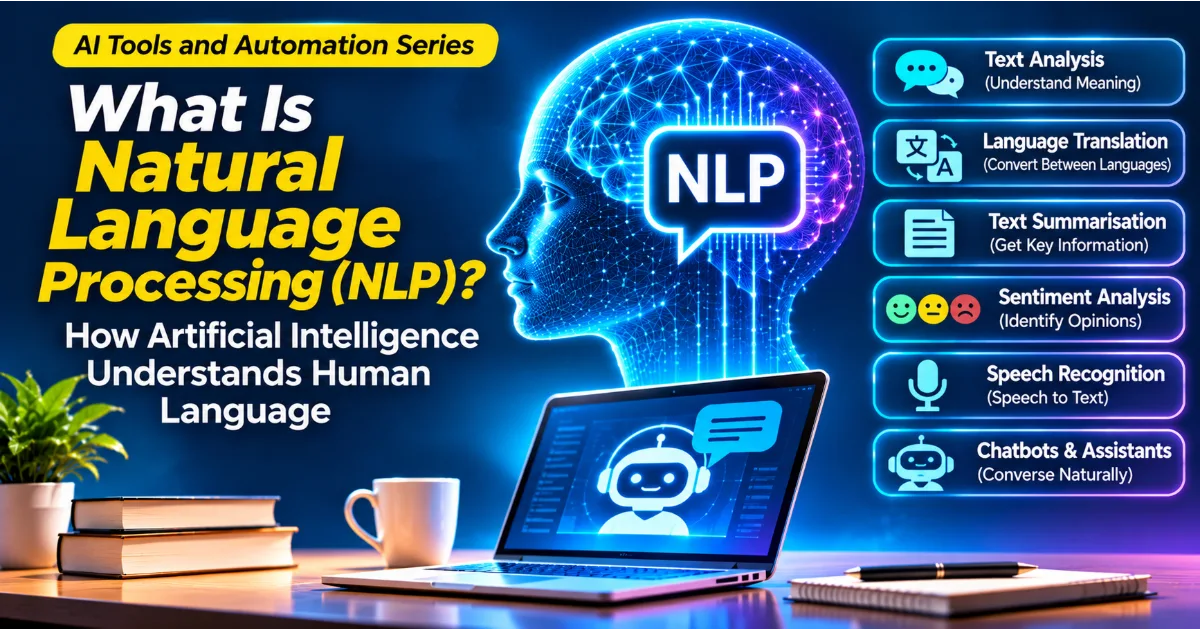
Modern document processing systems may combine OCR with NLP to identify names, dates, amounts, and other important information.
OCR accuracy can be affected by handwriting, image quality, unusual fonts, page distortion, and complex layouts.
6. Pose Estimation
Pose estimation identifies the positions of important body points or joints within an image or video.
For example, a system may identify the approximate positions of a person's shoulders, elbows, wrists, hips, knees, and ankles.
This information can be used to analyse body movement and posture.
Applications include sports analysis, fitness technology, animation, robotics research, and certain rehabilitation-related tools.
The results should be interpreted carefully because a visual estimate does not necessarily provide a complete understanding of a person's physical condition.
7. Object Tracking
Object tracking follows an object across multiple video frames.
For example, a traffic monitoring system may identify a particular vehicle and track its movement as it travels through a camera's field of view.
Tracking can help estimate movement, direction, speed, and changes in position.
It is used in sports analytics, robotics, traffic monitoring, security systems, and video analysis.
8. Image Restoration and Enhancement
Computer vision can also help improve the visual quality of images.
Image restoration techniques may reduce noise, correct certain distortions, improve clarity, or reconstruct missing visual information.
Image enhancement can be useful when photographs are poorly lit, blurry, or affected by other technical limitations.
However, reconstructed details may not always represent the original scene accurately. This is especially important when images are used as evidence or for professional assessment.
Machine Learning and Deep Learning in Computer Vision
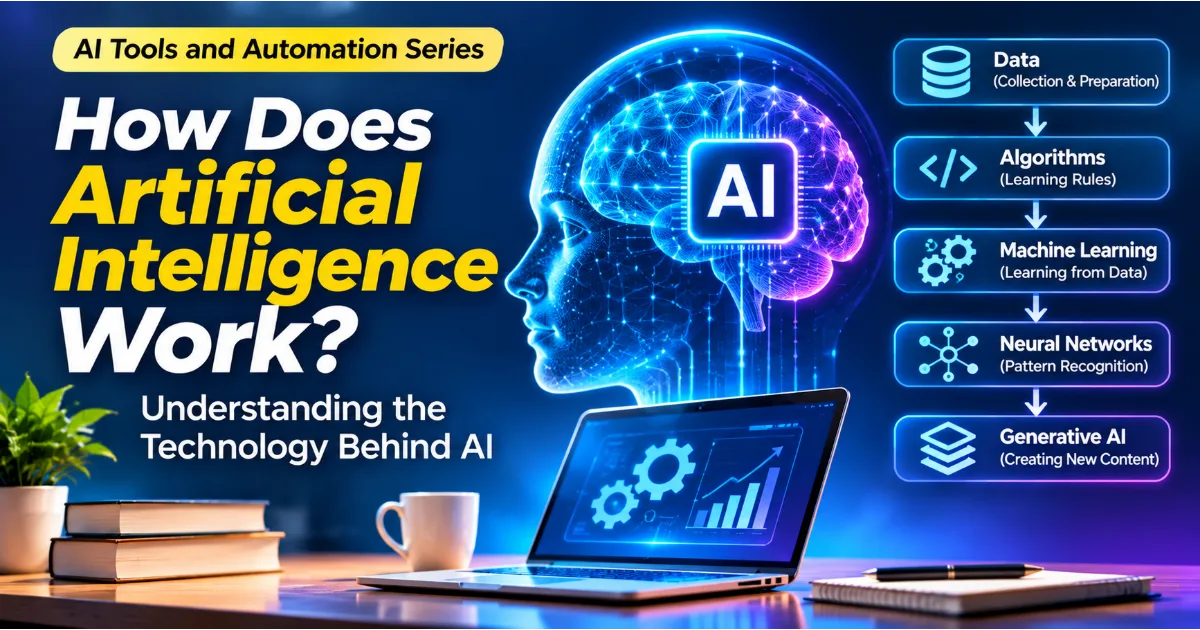
Machine Learning and Deep Learning are important technologies behind many modern computer vision applications.
Traditional machine learning approaches often require developers to identify useful visual features manually.
For example, a system designed to classify fruit may use colour, shape, size, and texture as input features. A machine learning algorithm then learns relationships between these features and the fruit categories.
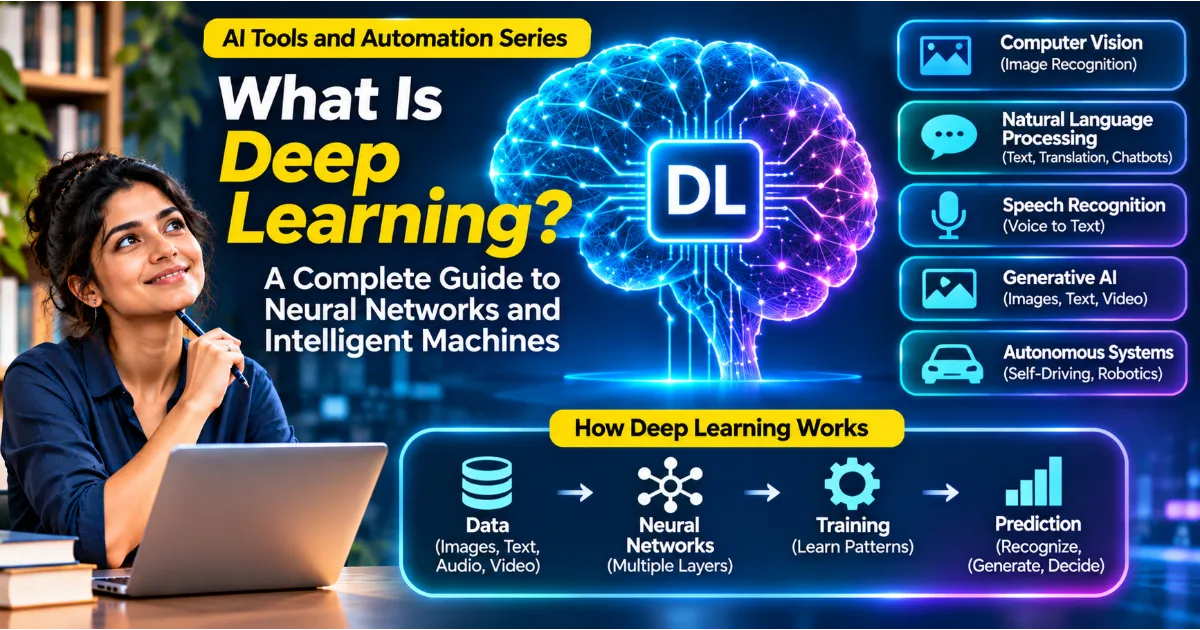
Deep Learning uses neural networks with multiple processing layers. These models can learn complex visual representations directly from image data.
Convolutional Neural Networks, commonly called CNNs, have played a major role in computer vision. They are designed to identify spatial patterns within images and have been widely used for classification, detection, and other visual tasks.
Modern computer vision also uses transformer-based architectures and other neural network designs.
The choice of model depends on the problem, available data, computing resources, accuracy requirements, and deployment environment.
Deep learning is powerful, but it is not automatically the best option for every visual analysis task. Simpler methods may be sufficient for certain applications.
What Are Convolutional Neural Networks?
Convolutional Neural Networks are a type of deep learning architecture commonly used for image-related tasks.
They are designed to process visual information through operations that identify patterns across different regions of an image.
A CNN typically contains several types of layers.
Convolutional layers apply filters to input data to identify visual patterns such as edges, textures, and shapes.
Activation functions introduce non-linear behaviour, allowing the network to learn more complex relationships.
Pooling layers may reduce the spatial dimensions of feature maps while retaining important information.
Later layers combine the learned representations to support tasks such as image classification.
Consider a model trained to identify photographs of cats. Earlier processing layers may learn to detect simple visual patterns such as edges and curves. Deeper layers may learn more complex combinations associated with ears, eyes, faces, and body shapes.
The model combines these learned features to produce its prediction.
CNNs have been widely used in image recognition, object detection, medical imaging research, and industrial inspection.
What Is Image Recognition?
Image recognition is the process of identifying objects, people, scenes, or patterns within an image.
For example, a smartphone gallery may automatically organise photographs into categories such as food, animals, landscapes, and vehicles.
A retail application may recognise products from photographs. A document management system may identify whether an uploaded image contains a receipt, invoice, or identity document.
Image recognition is often used as a broad term for technologies that interpret visual content. It may involve classification, detection, segmentation, or a combination of different computer vision techniques.
The exact method depends on what the application needs to recognise and how precise the result must be.
What Is the Difference Between Computer Vision and Image Processing?
Computer Vision and Image Processing are closely related, but they have different primary objectives.
Image Processing focuses on modifying or transforming images.
Examples include resizing photographs, improving brightness, removing noise, adjusting contrast, and applying filters.
Computer Vision focuses on extracting meaningful information from images and videos.
Examples include identifying a person, detecting a vehicle, recognising a product, or analysing movement.
Consider a photograph of a damaged car.
An image processing application may improve the photograph's brightness and sharpness.
A computer vision application may identify the car, locate the damaged area, and classify the type of visible damage.
Both fields can work together. Image processing may prepare visual data, while computer vision interprets the prepared information.
Real-World Applications of Computer Vision
Computer Vision is being used across industries to automate visual tasks and support more informed decisions.
1. Healthcare and Medical Imaging
Medical imaging produces large amounts of visual information through technologies such as X-rays, CT scans, MRI scans, and other imaging systems.
Computer vision can help analyse these images and identify patterns that may deserve attention from qualified healthcare professionals.
For example, research systems may be developed to identify certain visual patterns in medical scans.
These tools can support medical research and selected clinical workflows, but their results require rigorous validation and professional oversight. A computer vision model should not be treated as a replacement for qualified medical judgement.
2. Manufacturing and Quality Inspection
Manufacturing companies need to maintain consistent product quality.
Computer vision systems can examine products as they move through production lines and identify visible defects such as scratches, cracks, incorrect labels, missing components, or unusual shapes.
For example, a factory producing electronic components may use industrial cameras to inspect each unit.
The system can flag products that require additional inspection.
Automated visual inspection can improve consistency and help reduce repetitive manual work, although systems must be tested against different product variations and operating conditions.
3. Retail and E-Commerce
Retailers use visual technologies to improve product discovery, stock management, and customer experiences.
A visual search application may allow customers to upload a photograph and find products that look similar.
Retail inventory systems may analyse shelf images to identify empty spaces or misplaced products.
E-commerce platforms can also use computer vision to organise product photographs and identify visual characteristics.
These applications can help businesses improve product discovery and operational planning.
4. Agriculture
Agriculture is an important area for computer vision because crops, fields, and livestock produce large amounts of visual information.
Drones and cameras can capture photographs of agricultural land.
Computer vision models may analyse these images to identify changes in crop appearance, estimate plant coverage, or detect certain visual indicators of disease.
Farmers can use the information to decide where additional inspection or treatment may be needed.
The effectiveness of these applications depends on crop type, weather conditions, camera quality, and local agricultural knowledge.
5. Transportation and Autonomous Vehicles
Vehicles use cameras and other sensors to collect information about their surroundings.
Computer vision systems can help identify road markings, traffic signs, pedestrians, vehicles, and other objects.
In advanced driver assistance systems, visual information may support functions such as lane detection, collision warnings, and object monitoring.
Autonomous driving research combines computer vision with other technologies, including radar, lidar, mapping, and planning systems.
Visual recognition alone is not sufficient to make autonomous driving safe. Reliable operation requires extensive testing, sensor integration, safety engineering, and continuous evaluation.
6. Security and Surveillance
Computer vision can be used to analyse video footage and identify certain events or objects.
For example, a system may detect whether a person or vehicle has entered a restricted area.
It may also help security teams search large video archives for particular visual events.
However, surveillance technologies create important privacy and civil rights concerns. Organisations must consider lawful purposes, transparency, access controls, retention policies, and the risk of inaccurate identification.
7. Banking and Financial Services
Financial institutions may use computer vision for document verification, cheque processing, identity document analysis, and certain fraud prevention workflows.
OCR can extract information from forms and financial documents.
Visual analysis may help identify unusual document characteristics or inconsistencies that require additional review.
Such applications should include appropriate security measures and human verification where mistakes could affect customers.
8. Education
Computer vision can support educational applications through handwriting recognition, document digitisation, visual learning tools, and interactive experiences.
For example, a learning application may allow students to photograph a handwritten mathematical problem and convert the writing into digital text.
Visual systems can also support practical learning experiences in areas such as science, engineering, and design.
9. Sports and Fitness
Sports organisations use computer vision to analyse player movement, match footage, and physical performance.
A system may track players across a football field or analyse body movement during an athletic activity.
Coaches can use these observations to study positioning, movement patterns, and performance.
Fitness applications may use camera-based pose estimation to provide feedback on exercise movements.
These systems provide estimates rather than perfect measurements, so results should be interpreted in context.
10. Smart Cities
Computer vision can support certain urban management applications.
Traffic cameras may analyse vehicle movement and identify congestion patterns.
Infrastructure teams may use visual systems to inspect roads, identify damaged surfaces, and monitor selected public assets.
These applications may help authorities understand infrastructure conditions and plan maintenance.
However, the use of cameras in public spaces requires careful consideration of privacy, security, and appropriate governance.
11. Document Management
Businesses work with invoices, receipts, contracts, forms, and other documents.
Computer vision and OCR can convert scanned documents into searchable digital information.
A document processing system may identify text regions, extract relevant values, and organise the results for further processing.
When combined with NLP, the system may also classify document types and identify important information.
12. Robotics
Robots need information about their surroundings to interact with physical objects and move safely.
Computer vision can help robots identify objects, estimate positions, recognise obstacles, and understand certain aspects of their environment.
A warehouse robot, for example, may use cameras to identify packages and locate items that need to be moved.
Robotic vision often works alongside sensors, mapping systems, and motion planning algorithms.
How Businesses Can Use Computer Vision for Automation
Computer Vision can help businesses automate activities that involve repeated visual inspection or analysis.
Consider a warehouse that receives hundreds of packages every day.
Employees may need to inspect package labels, identify damaged boxes, and sort items according to their destinations.
A computer vision workflow can capture images of packages, use OCR to extract label information, and analyse photographs to identify visible damage.
The extracted information can then be passed to an inventory or logistics system.
A manufacturing company may use a similar approach to inspect products. Cameras capture images of items, a trained model identifies possible defects, and the system flags unusual results for human review.
Retailers may use computer vision to monitor product availability through shelf images. Agricultural businesses may use drone photographs to examine crop conditions.
The key business advantage is the ability to convert visual information into structured data that can support existing workflows.
However, automation should be introduced carefully. Businesses must consider accuracy, operational costs, data protection, equipment requirements, and the consequences of incorrect results.
Popular Computer Vision Tools and Frameworks
Developers use different tools and frameworks to build computer vision applications.
OpenCV
OpenCV is a widely used computer vision library.
It provides tools for image processing, video analysis, object detection workflows, feature extraction, and other visual computing tasks.
It supports several programming languages and is commonly used in educational, research, and practical applications.
PyTorch
PyTorch is a machine learning framework used to build and train neural networks.
Developers use it to create computer vision models for classification, detection, segmentation, and other image-related tasks.
TensorFlow
TensorFlow provides tools for developing and deploying machine learning applications.
It can be used to build image classification systems, object recognition models, and other computer vision solutions.
Keras
Keras provides a high-level interface for developing neural networks.
It can help developers build and experiment with image classification and other deep learning models.
YOLO
YOLO, short for You Only Look Once, refers to a family of object detection models.
These models are designed to identify objects and their locations within images.
They are used in applications such as traffic analysis, industrial inspection, and real-time visual detection.
MediaPipe
MediaPipe provides tools for building applications involving visual perception.
It includes solutions for tasks such as hand tracking, face-related processing, and pose estimation.
It can be useful for interactive applications involving cameras and real-time visual information.
Advantages of Computer Vision
Computer Vision offers several advantages when applied to suitable problems.
One important advantage is automation. Systems can analyse large numbers of images and videos without requiring a person to manually inspect every item.
Another advantage is processing speed. Certain computer vision models can analyse images quickly enough to support real-time applications.
Consistency is also important. A properly designed system applies the same computational process to each input, although its predictions may still be incorrect.
Computer Vision can also improve access to visual information. OCR helps convert printed documents into searchable text, while visual recognition can help organise large collections of photographs.
In manufacturing, automated inspection can help identify defects and support quality control.
In agriculture, visual analysis can help identify areas that require additional attention.
Computer Vision also supports new forms of human-computer interaction, including camera-based gestures, augmented reality, and visual search.
Limitations and Challenges of Computer Vision
Despite its progress, computer vision has important technical and practical limitations.
1. Dependence on Training Data
Computer vision models learn from examples.
If training images are limited, inaccurate, or unrepresentative, the model may perform poorly in real-world environments.
A model trained mainly on daylight photographs may struggle with images captured at night.
2. Lighting Conditions
Changes in brightness, shadows, glare, and poor lighting can affect visual recognition.
An object that is easy to identify under normal lighting may become difficult to recognise when it is partially hidden in darkness.
3. Camera Angle and Perspective
The same object may look very different depending on camera position and viewing angle.
A model trained using front-facing product photographs may struggle with images captured from unusual angles.
4. Occlusion
Occlusion occurs when part of an object is hidden behind another object.
For example, a pedestrian may be partially hidden behind a vehicle.
This can make detection and tracking more difficult.
5. Bias and Representation
If training datasets do not represent different people, environments, objects, and conditions adequately, model performance may vary across different situations.
Facial recognition and other identity-related applications require particularly careful evaluation because inaccurate results can have serious consequences.
6. High Computing Requirements
Advanced computer vision models may require powerful hardware and substantial computing resources.
Training large neural networks can be expensive, and real-time applications may require specialised processing equipment.
7. Privacy and Security
Images and videos may contain faces, personal documents, private property, or sensitive business information.
Organisations must establish appropriate controls for collecting, storing, accessing, and processing visual information.
8. Incorrect Predictions
A computer vision system can incorrectly identify objects, miss important details, or produce uncertain results.
In safety-sensitive environments, incorrect predictions can create significant risks.
Human oversight, testing, and appropriate fallback procedures remain important.
9. Environmental Changes
A model deployed in the real world may encounter new conditions that were not represented during training.
Changes in weather, camera equipment, backgrounds, products, or surroundings can reduce performance.
Continuous monitoring and model updates may be necessary.
How to Start Learning Computer Vision
Beginners can learn computer vision through a combination of programming, mathematics, image processing, machine learning, and practical projects.
Step 1: Understand Artificial Intelligence and Machine Learning
Start by understanding the relationship between Artificial Intelligence, Machine Learning, and Deep Learning.
Learn how models use data, how training works, and why evaluation is important.
These concepts provide the foundation for understanding computer vision models.
Step 2: Learn Python Programming
Python is widely used for computer vision development.
Start with variables, data types, functions, loops, conditions, lists, dictionaries, and file handling.
Learn how to install libraries and work with image files.
Step 3: Understand Images as Data
Learn how digital images are represented through pixels and colour channels.
Understand image dimensions, resolution, RGB values, grayscale images, and common image formats.
This knowledge helps explain how computers process visual information.
Step 4: Learn Basic Mathematics
Basic knowledge of algebra, geometry, statistics, and linear algebra can help you understand computer vision.
Important topics include coordinates, vectors, matrices, probability, and numerical operations.
Step 5: Explore OpenCV
Begin experimenting with image reading, resizing, cropping, colour conversion, edge detection, and image filtering.
These exercises provide a practical introduction to image processing.
Step 6: Learn Machine Learning
Understand classification, training data, testing data, model evaluation, and overfitting.
Build a simple image classification project using a suitable machine learning workflow.
Step 7: Explore Deep Learning
After understanding the fundamentals, explore neural networks and convolutional neural networks.
Experiment with pretrained models and learn how image classification and object detection work.
Step 8: Build Practical Projects
Practical projects help connect theoretical concepts with real applications.
Start with simple tasks such as recognising handwritten digits, classifying everyday objects, or detecting objects in photographs.
Gradually move towards video processing, object tracking, and image segmentation.
Beginner-Friendly Computer Vision Project Ideas
Project 1: Image Classification
Create a program that identifies whether an image contains a cat, dog, car, or another predefined category.
Use a labelled dataset and train a suitable model.
Evaluate the model using images that were not included in the training process.
Project 2: Handwritten Digit Recognition
Build a system that recognises handwritten numerical digits.
This project provides a useful introduction to image classification and neural networks.
It can help beginners understand how models learn visual patterns.
Project 3: Object Detection
Create an application that identifies common objects in photographs.
Use an existing pretrained object detection model and display the detected objects with their approximate positions.
Project 4: OCR Document Scanner
Build a simple application that extracts printed text from photographs or scanned documents.
Experiment with image preprocessing and OCR tools.
You can later extend the project to identify dates, names, and numerical values.
Project 5: Basic Motion Detection
Create a program that compares video frames and identifies significant changes.
This can provide an introduction to video processing and movement analysis.
Project 6: Plant Image Classification
Build a model that classifies selected plant categories using a suitable image dataset.
This project demonstrates how computer vision can support agricultural and educational applications.
The Future of Computer Vision
Computer Vision is continuing to develop as researchers improve neural network architectures, image processing techniques, hardware, and training methods.
One important direction is the development of more efficient visual models. Smaller models may allow certain computer vision applications to run directly on smartphones, cameras, and other edge devices.
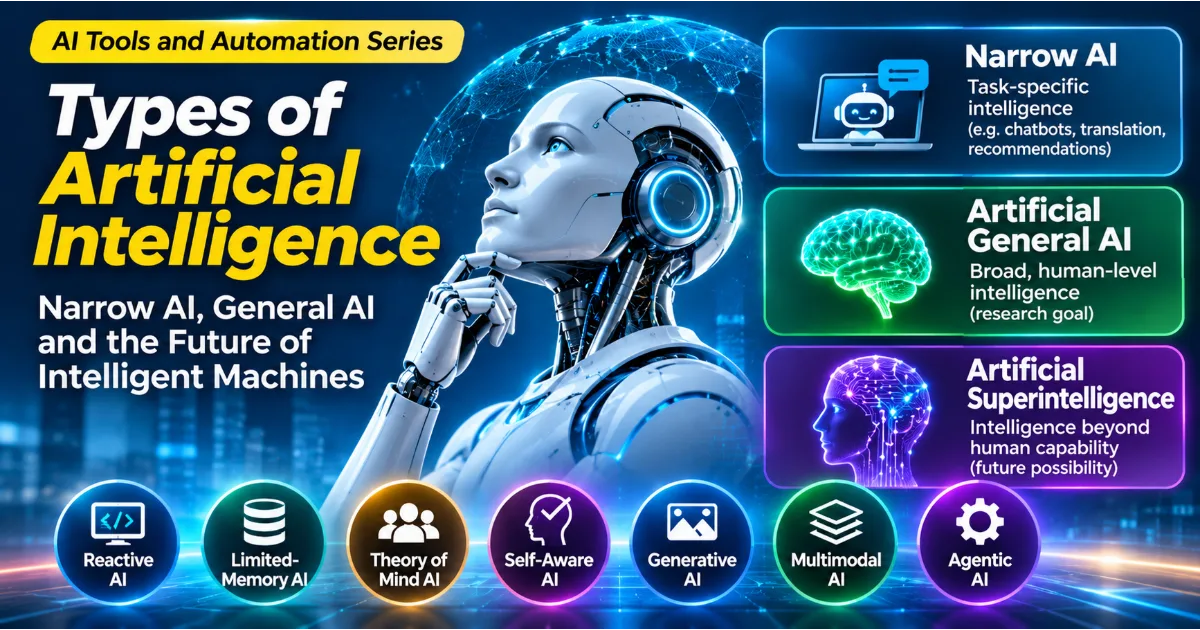
Another development is multimodal Artificial Intelligence. These systems can combine visual information with language and audio. A user may be able to provide an image and ask a question about its contents.
Computer Vision is also becoming increasingly important in robotics. Robots need to recognise objects, estimate positions, identify obstacles, and interpret their surroundings before performing physical tasks.
Healthcare research may continue to explore computer vision for medical image analysis and selected diagnostic support workflows. These applications will require rigorous clinical evaluation and appropriate professional oversight.
Agriculture may benefit from improved visual monitoring of crops, soil conditions, and field environments.
Industrial automation may use more advanced visual inspection systems to identify defects and monitor production processes.
Another important direction is the development of explainable computer vision. Organisations need better ways to understand why a model identified an object, classified an image, or flagged a particular visual region.
Responsible development will remain essential. Privacy, fairness, transparency, reliability, and security must be considered as visual AI systems become more widely used.
The long-term potential of computer vision will depend not only on improving recognition accuracy but also on creating systems that operate safely and provide meaningful value in real environments.
Conclusion: Computer Vision Is Giving Machines the Ability to Interpret Visual Information
Computer Vision is an important field of Artificial Intelligence that enables computers to process and interpret images and videos.
It supports image classification, object detection, segmentation, facial recognition, OCR, pose estimation, and object tracking.
Machine Learning and Deep Learning have significantly expanded its capabilities. Convolutional Neural Networks and other neural network architectures allow modern systems to learn complex visual patterns from image data.
Computer Vision is already being applied in healthcare research, manufacturing, agriculture, transportation, retail, security, education, robotics, and document processing.
However, building a reliable system requires more than training a model. Developers must collect appropriate data, prepare images, evaluate performance, consider environmental conditions, and establish suitable privacy and safety controls.
For beginners, learning Python, understanding digital images, exploring OpenCV, and building small classification projects provide a practical starting point.
Computer Vision is changing how software interacts with the physical world. It allows digital systems to extract useful information from photographs, videos, and other visual sources, creating opportunities for more intelligent applications and automation.
As Artificial Intelligence continues to develop, understanding Computer Vision will become increasingly valuable for people interested in technology, software development, research, and the future of intelligent machines.
Continue the Discussion
Where do you think Computer Vision can make the biggest difference: healthcare, manufacturing, agriculture, transportation, retail, or everyday smartphone applications?
Have you used a feature that recognises faces, scans documents, identifies objects, or analyses photographs? Share your experience and thoughts about how machines are learning to interpret the visual world.
#ComputerVision #ArtificialIntelligence #DeepLearning #MachineLearning #AITools